How to make a platform with customers trust
We have collected some tips on how to efficiently solve the issues, mentioned above, and improve the existing platform if you have one. We will focus on essential features, not on the basic ones, so let’s go straight to the point.
Create a stable high-quality content flow
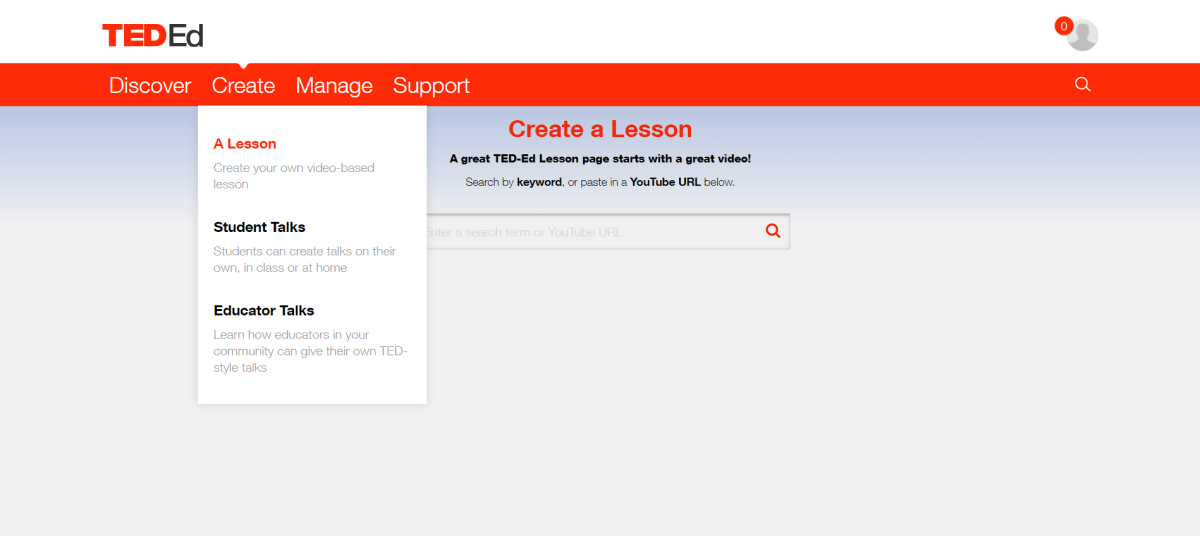
TedEd content creation process
Tutors’ verification. The best but not the easiest way to improve the value of your MOOC is to become partners with some famous educational institution. But here you will face another issue – how to make sure that the instructors indeed produce high-quality content? In other words, you will have to develop some verifying system so the ones, allowed to create content would be professionals indeed. It does not mean that you should allow only university professors to participate, no. But a verification form has to be created, as far it is the only way to make sure your users are educated by professionals is to verify the stuff. It can be something simple – some page for age, residence, and experience verification.
Course content for uploading. The most famous MOOCs have their own learning management systems and content management systems at the same time. When the course is uploaded, they provide the following data:
- Title, category, brief description. The mentors can also create some specific tags to let users know who the course is designed for and what are the entering criteria.
- Video content, subs, and text. Sometimes timing is also included, making the life of the students much easier.
- Automatically checked tasks and quizzes.
Content curation. There’s always a human factor involved when you are working with people. And the content creator might miss something too, no matter how attentive they check the content they upload. It can be everything – from the low-quality video itself to spelling and grammar mistakes. In any case, content curation is a matter of high importance in educational app development. There are a couple of solutions:
- Involve third parties to check the quality.
- Have an in-house team of experts who will curate the content.
- Implement ratings so the users can evaluate the content themselves.
Assisting users while choosing a course
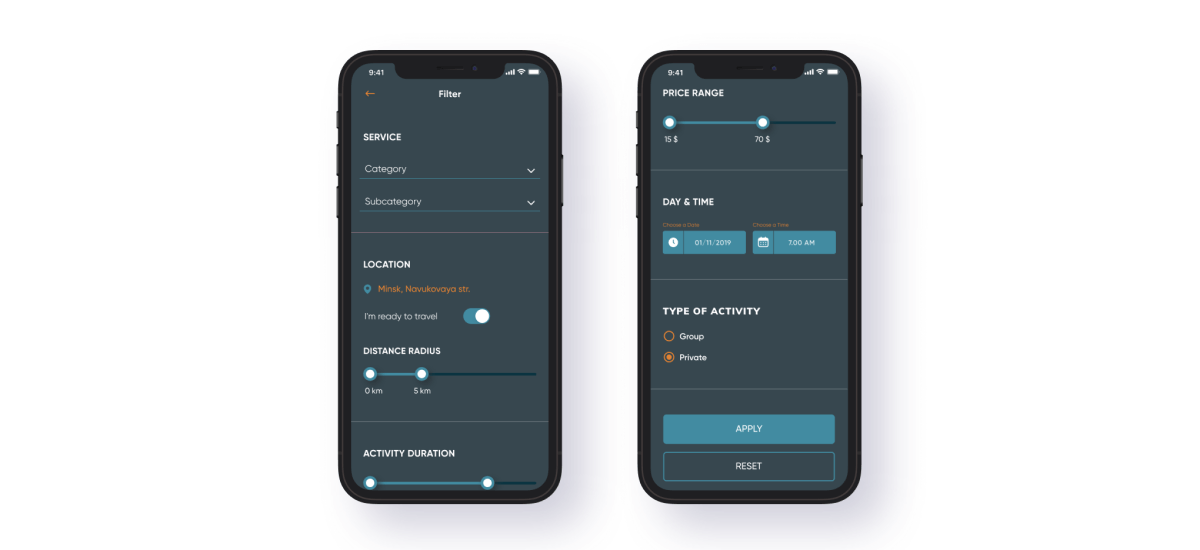
Celadonsoft case study - Mobile App for Tutors Portal
Make the test listings as informative and user-friendly as you can. A basic description also helps the user to choose as far as he can see at once if it is the course he was looking for. The description has to contain the full course title, instructor, price, type, and duration. A good decision is to add the required level and rating.
Ratings’n’reviews. They are not the prime tool for content curation, but a tool for the users to select the course and narrow the search. People always have a lot of questions before they make a decision to join this or that course. So FAQ can become a real gift from Heaven. They usually cover the topics like:
- Access to the materials.
- If it is possible to enroll in a degree or spec.
- Refund policy.
- Availability of financial aid.
Recommended courses. One of the most efficient ways to increase the enrollment rate and improve users’ involvement is to offer the courses based on their preferences or recent enrollments. So, users will get a list of the courses, related to the ones they have already enrolled in or completed. A machine learning recommendation system, if implemented, helps to make the recommendations even more personalized.
Auditing courses. It is always better to see than to hear. So users always react positively and show more trust in the platforms, where they can try the course for free. It might be some free trial free intro videos or the first lesson. A better feeling of the course can be achieved if the user can have access to the course for free but without tasks, projects, or milestones. For example, Udemy allows audit of some courses, but in decreased video quality compared to the one you get when purchasing the course. If you decide to add auditing, think about the points you will have to allow mentors to do. For example:
- Choose between a course, open for auditing and an only-for-purchase one, as far a lot of mentors wouldn’t like to share the product they make just for free, even in reduced quality.
- Select the material to be available for free, like testing, texts of the lectures, and so on.
- Set the limit of the materials, and open it for a free trial.
Simplify: make the enrollment easy
Simple, clear, and user-friendly UI and UX are essential e-learning app development aspects if you want your MOOC platform to prosper. The users will require guidance, and your task is to help them.
Onboarding users. When the user registers, he might need some instructions on how to work with the platform, especially if the user is about to create content. For example, Udemy has a separate set of videos for the newcomers. Coursera offers tips and some helpful content. Still, there’s no platform, that provides newcomers with a really informative starter guide from the moment the user registers to the moment he completes the final test and gets the certificate. If you create your own onboarding strategy, helping users at each and every point of their journey, it will be a great feature. For example, the sections can be the following:
- Profile settings
- Navigation
- Course listing and filters
- Enrolling
- Course Assignment
- Capstone projects
- Certification
- Contact us.
Make sure the users are not overwhelmed and irritated by the tips you offer. One of the ways to keep the balance is to show the tip only if the user visits a certain section for the first time.
Support the users. There are a lot of might-be issues, which you simply can’t push to fit into the FAQ section. The solution is in the field of a specific help desk or a help center. In this domain, one can place a set of how-to articles with the most asked questions.
But again, the issues might vary, so for a better user experience, it is recommended to add some form, so the users can submit their requests and ask for assistance.
The rule is simple here – provide as much personal touch as you can. For that, you can add some live chat with a professional support team. The last point is critical here.
Scheduling helps. Online education has pretty much the same specifics as casual classes do, and their efficiency depends directly on how regular the person studies. The more – the better. The question arises: how to make e-learning apps be as much similar to casual studies as possible? Instructors can suggest some schedules as well, but integrating the platform with Google Calendar will work much better. The users can add the classes to their schedule to not miss anything.
Notifications. How do create education apps that won’t let students forget about studying? Introduce notifications. And we are talking not just about the classes. You can let them know if some new assignment is coming, remind them about the courses they were looking at as well as recommend a set of new ones. Of course, notifications are a good and working tool to announce sales and discounts or even get feedback about the courses.
The notifications can be implemented in a form of push notifications or emails. But combining works much better. Home assignments, messages, and reminders will be noticed faster if a person gets a push notification. For any other scenario, it is advised to use direct emails.
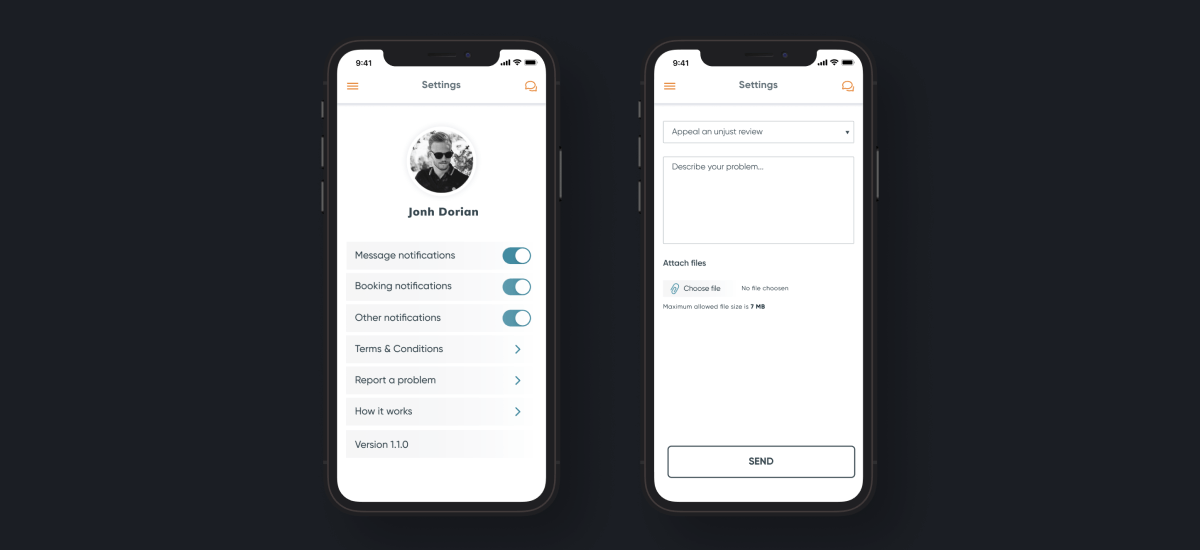
Enabling notifications
Make studying more convenient
In spite of all the advantages MOOCS provide, studying might become a terrible experience. To build an e-learning app that gives one of a kind educational experience, make sure any single element of the platform works for good UX. Below, we will focus on how to make education apps with UX/UI features, which can make a difference for the users.
Advanced video player. Users will get almost 95% of all information from video, that’s why the video player you use has to be smooth, intuitive, and slick. Now, it’s not enough just to let people tap pause. The player should have the following set of features:
- Playback speed
- Bookmarks
- Subtitles
- Video resolution control
These e-learning app features are important if you want to cover as many categories of your target audience, as possible. For example, some learners might experience trouble with a fast and stable internet connection, so you can allow them to watch videos or even download them in different resolutions.
Properly organized text materials. Text files are as important as videos, so it is to your profit to provide sufficient tools to work with this source of information. For example, make sure users can download text and presentations from the video, leave bookmarks, highlight important places and save the changes, and work with Zoom for presentations.
Think about localization. Almost all MOOCs are in English, and it is a way to cover a huge audience segment, but what about the ones, who do not speak English. They may want to learn, but simply can’t as far as they don't know the language. Think, what a huge field of work they are! Providing content in different languages or at least with subs, you can create an online learning app that will stand out from the competitors at once.
Aside from that, think about your content creators. In most cases, they might need help in translating their courses. It is possible to start with translating the manuals and text part and move to complete course localization in the end.
Create a community. People need to be a part of something. Recent research shows that people feel more motivated and study in a more efficient way if they are in some community. In offline education, classmates give this feeling of being involved. The online education community possesses this function. Community helps in a lot of cases. For example, to find interesting topics, to ask questions about the challenges and quizzes and even to find teammates for the pet projects. In addition, if the community is widespread enough, one can find patrons and sponsors for the courses and projects. As a platform creator, you can use the community as a source of real-time feedback about the courses and even find the ones willing to participate in the translation, test new courses, work with instructors, and report issues. So it is absolutely clear that any MOOC needs a community, even if it is a simple Fb group or an Instagram page. Of course, a separate forum brings more advantages, but solutions based on social media also work, even though you have less control over the community and its development.

A couple of words about motivation
If you were asked to name the biggest problem of all MOOCs, what would it be? The answer is a low completion rate. Let’s have a look at how to build an e-learning app and help the learners to reach the finish line.
Tracking systems. Most people lack self-discipline and control. So your task is to help them, for example, to implement features of an online learning app such asa personalized dashboard, showing progress and other valuable data.
Certificates. People want to have some proof of their success. Add some sort of certificate and the issue is solved. Have a look at how Coursera made it – not just certificates and degrees, but a custom tool for designing certificates.
Gamification rules. Dropout rates can be decreased in half with the only tool implemented. And it is called gamification. Successful platforms use gamification mechanisms, why shouldn’t you? See some examples:
- Community events, involving both mentors and learners
- Points for activity in the community
- Personal ratings
- Tops of the most active users
- Achievement badges
- Different rewards from the platform.
Yes, the market is full of huge and well-known projects. But there’s still no perfect platform, capable of meeting all the requirements and satisfying all the needs. Some platforms are not user-friendly enough, others have poor UI/UX, some have issues with security or the quality of the content they provide is low. By creating your own educational platform, you can become the one, to overcome them all by solving these issues. "But how to create education app?" - you may wonder. Our professionals are the solution. If you are about to enter the market and are full of ideas, we are ready to ready to provide custom mobile app development services. Thanks to our experience in iOS app development services and Android app development services, we possess a deep understanding of how to create a learning app that functions flawlessly and meets all users’ needs.